

1.鼠标点击
示例地址:https://sahitest.com/demo/clicks.htm
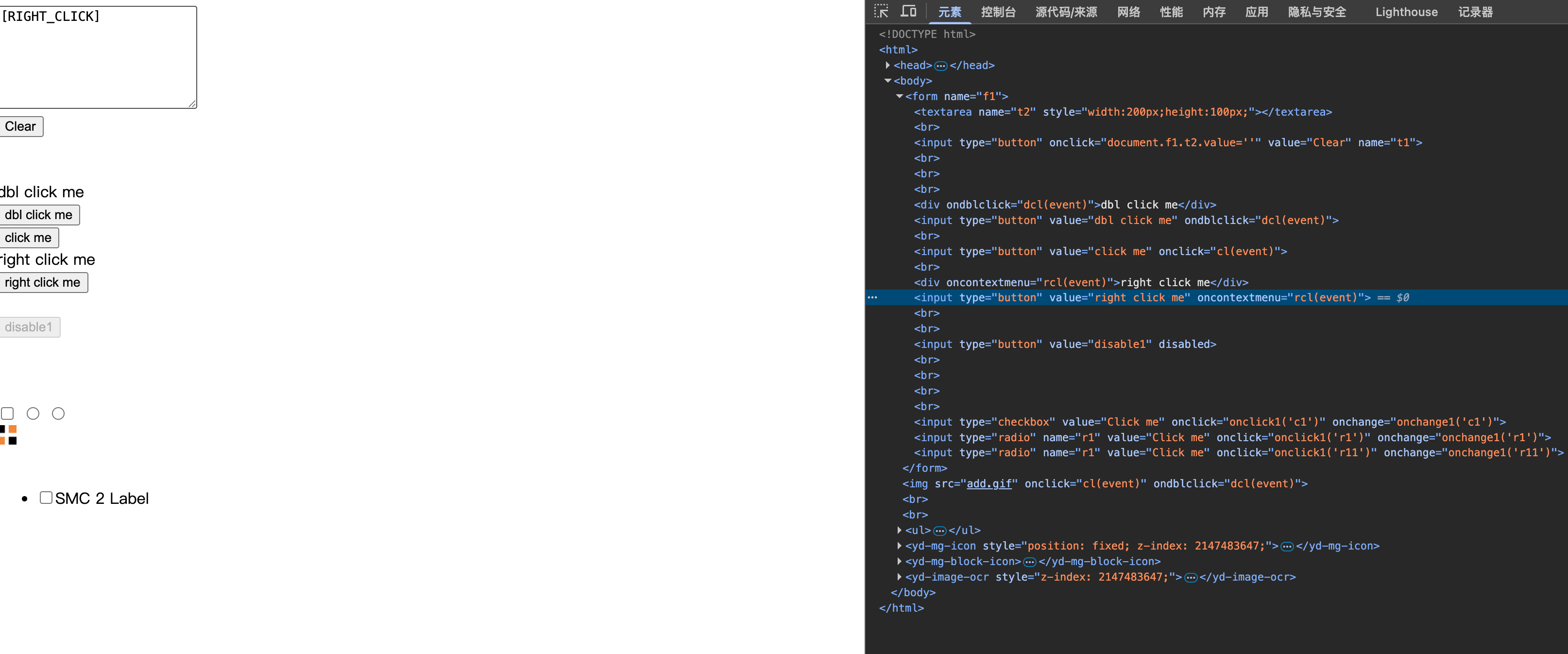
示例法:
from selenium.webdriver.chrome.service import Service
from selenium import webdriver
from selenium.webdriver.common.by import By
from selenium.webdriver import ActionChains
import time


driver = webdriver.Chrome(service=Service('/usr/local/bin/chromedriver'))
driver.get('https://sahitest.com/demo/clicks.htm')

el1 = driver.find_element(By.XPATH,".//form[@name='f1']/input[@value='click me']")
ActionChains(driver).click(el1).perform() #鼠标左键单击
el2 = driver.find_element(By.XPATH,".//form[@name='f1']/input[@value='dbl click me']")
ActionChains(driver).double_click(el2).perform() #鼠标双击
el3 = driver.find_element(By.XPATH,".//form[@name='f1']/input[@value='right click me']")
ActionChains(driver).context_click(el3).perform() #鼠标右键单击
time.sleep(100)
2.鼠标拖拽
示例地址:https://sahitest.com/demo/dragDropMooTools.htm
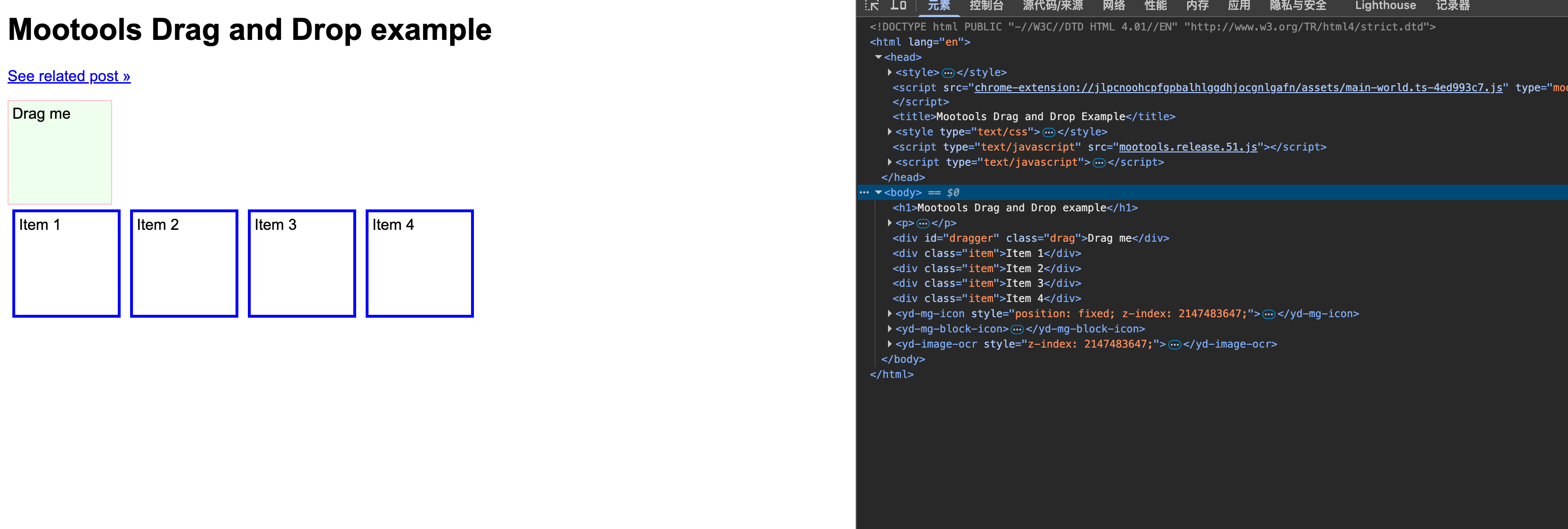
示例:
el1 = driver.find_element(By.XPATH,".//div[@id='dragger']")
el2 = driver.find_element(By.XPATH,".//div[text()='Item 1']")
el3 = driver.find_element(By.XPATH,".//div[text()='Item 2']")
ActionChains(driver).drag_and_drop(el1, el2).perform()  #鼠标的拖拽
ActionChains(driver).drag_and_drop_by_offset(el1, 400,150).perform()  #移动到指定坐标完成拖拽
ActionChains(driver).click_and_hold(el1).release(el3).perform()
3.鼠标悬停
示例地址:https://sahitest.com/demo/mouseover.htm
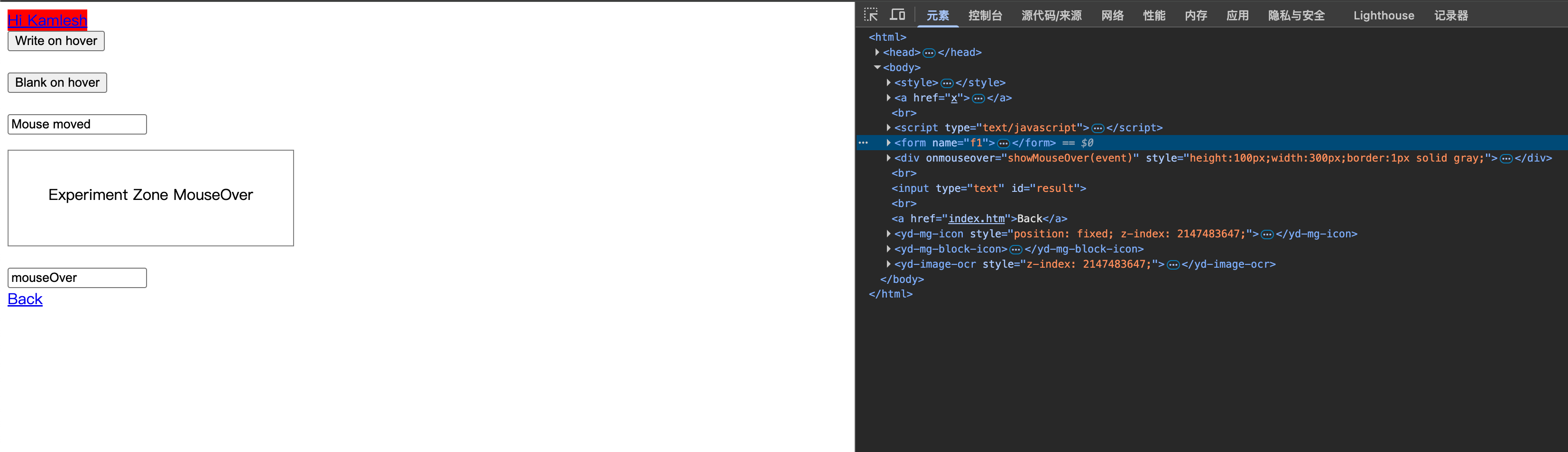
示例:
from selenium.webdriver.chrome.service import Service
from selenium import webdriver
from selenium.webdriver.common.by import By
from selenium.webdriver import ActionChains
import time


driver = webdriver.Chrome(service=Service('/usr/local/bin/chromedriver'))
driver.get('https://sahitest.com/demo/mouseover.htm')

el1 = driver.find_element(By.XPATH,".//form[@name='f1']/input[1]")
ActionChains(driver).move_to_element(el1).perform() #鼠标悬停到某个元素
ActionChains(driver).move_by_offset(10,60).perform() #鼠标悬停到坐标上
ActionChains(driver).move_to_element_with_offset(el1,10,60).perform()  #鼠标悬停到目标元素相对位置

time.sleep(100)