

示例地址:https://sahitest.com/demo/iframesTest.htm
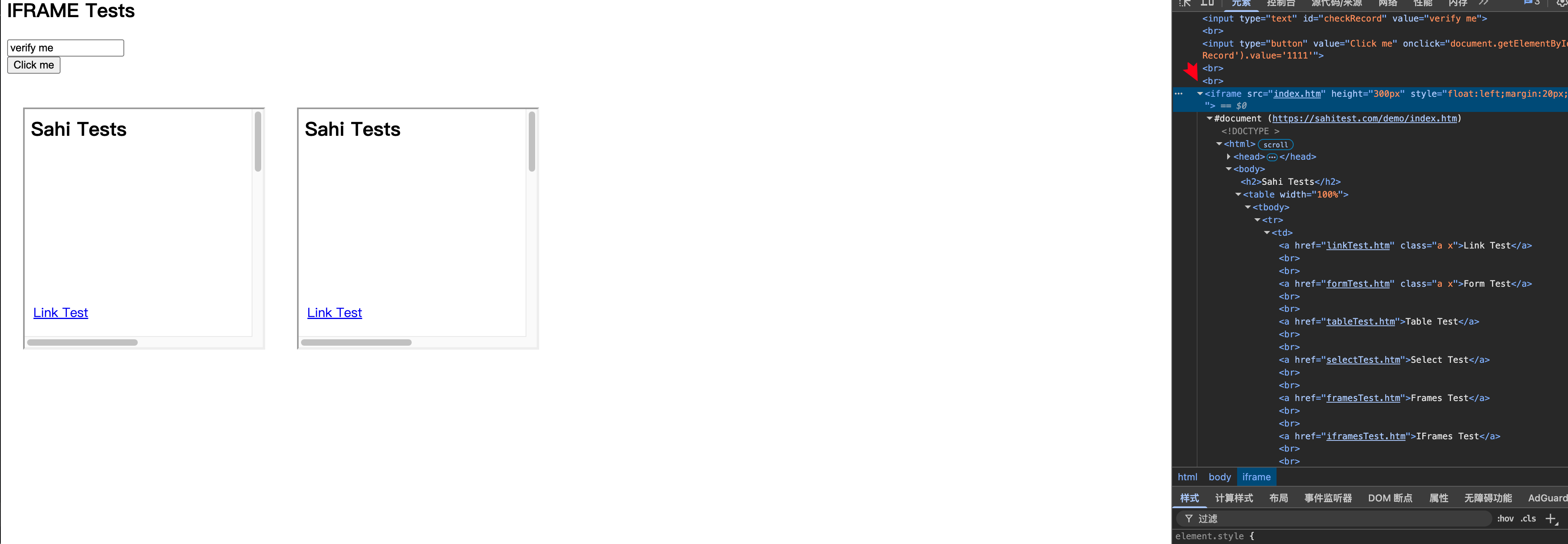
1.iframe 切换
#1.创建浏览器对象
driver = webdriver.Chrome(service=Service('/usr/local/bin/chromedriver'))
driver.get("https://sahitest.com/demo/iframesTest.htm")

#切换 iframe
el = driver.find_element(By.XPATH, ".//iframe[@src='index.htm']")
driver.switch_to.frame(el)
el1 = driver.find_element(By.XPATH,".//a[text()='Link Test']")
el1.click()


#切出iframe
driver.switch_to.parent_frame() #切出到上一层
driver.switch_to.default_content() #直接切除到最外层
2.handler 切换

#1.创建浏览器对象
driver = webdriver.Chrome(service=Service('/usr/local/bin/chromedriver'))
driver.get("https://www.baidu.com/")

el1 = driver.find_element(By.XPATH, ".//a[contains(text(), '图片')]")
el1.click()
time.sleep(3)


#获取当前所有的窗体
res1 = driver.window_handles
print(res1)

#获取当前窗体的id
h1 = driver.current_window_handle
print(h1)

#切换窗体
driver.switch_to.window(res1[-1])

#获取当前窗体的id
h2 = driver.current_window_handle
print(h2)