

1.简单的 GET 请求
源码:
def get(url, params=None, **kwargs):
    r"""Sends a GET request.

    :param url: URL for the new :class:`Request` object.
    :param params: (optional) Dictionary, list of tuples or bytes to send
        in the query string for the :class:`Request`.
    :param \*\*kwargs: Optional arguments that ``request`` takes.
    :return: :class:`Response <Response>` object
    :rtype: requests.Response
    """

    return request("get", url, params=params, **kwargs)
语法
res = requests.get(url, params=params, **kwargs)参数
url(必填参数):接口的请求地址
params(选填参数):传 url 后边的查询字符串参数,如?name=xiaoming&age=18。
**kwargs(选填参数):代表还可以传其他的参数,如headers,cookies等。
返回值:响应对象
代码示例:
在Fiddler抓包该网站的 get请求
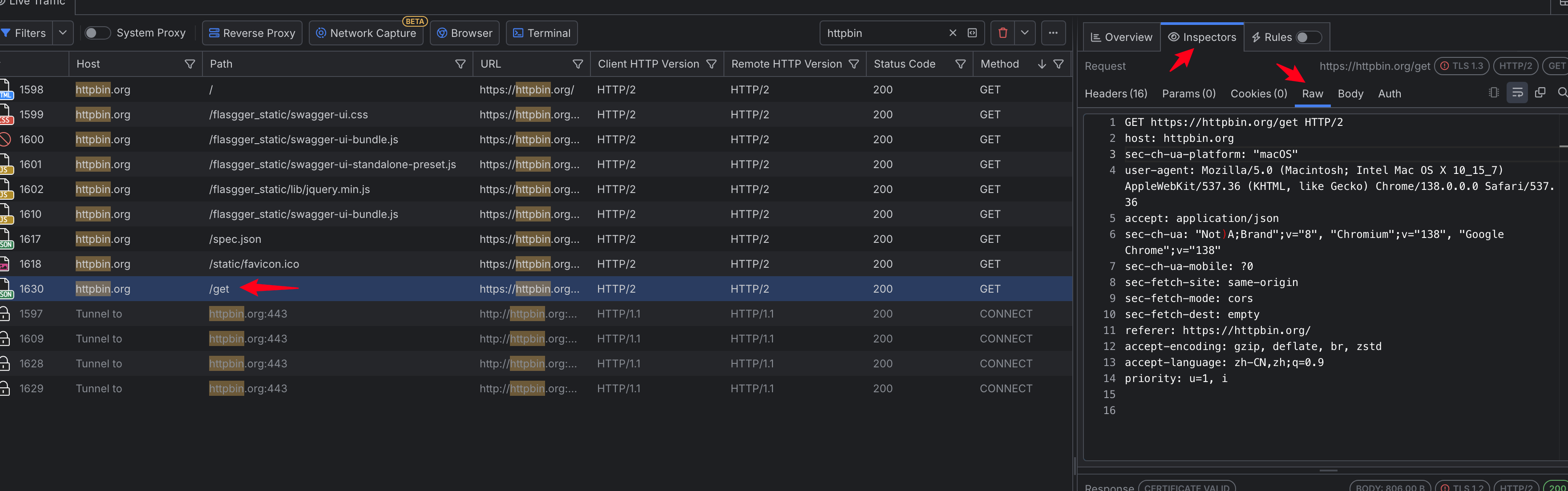
通过查询raw,得到请求方法,接口,请求体等内容
import requests

res = requests.get('https://httpbin.org/get')
print(res.text)  #text是响应对象的属性
其中 /前面是域名或者主机地址,/后面是接口的地址。所以在我们实际的项目中,根据被测项目的不同,主机地址是变化的,不变的是接口的地址,我们一般把这两部分分开,将主机地址或域名设置为配置项,将来写到配置文件当中。
import requests

from urllib.parse import urljoin

server = 'https://httpbin.org'
apu_url = '/get'
url = urljoin(server, apu_url)
res = requests.get(url)
print(res.json()) #转换为json格式
2. 简单的 POST 请求
源码:
def post(url, data=None, json=None, **kwargs):
    r"""Sends a POST request.

    :param url: URL for the new :class:`Request` object.
    :param data: (optional) Dictionary, list of tuples, bytes, or file-like
        object to send in the body of the :class:`Request`.
    :param json: (optional) A JSON serializable Python object to send in the body of the :class:`Request`.
    :param \*\*kwargs: Optional arguments that ``request`` takes.
    :return: :class:`Response <Response>` object
    :rtype: requests.Response
    """

    return request("post", url, data=data, json=json, **kwargs)
语法:
res = requests.post(url, data=None, json=None, **kwargs)参数:
url(必填参数):接口的请求地址
data(选填参数):接口的请求体,传入的参数可以是字典格式(推荐),也可以是字符串
json(选填参数):接口的请求体,传入的参数可以是字典格式(推荐),也可以是字符串
**kwargs(选填参数):代表还可以传其他的参数,如headers,cookies等。
返回值
响应对象
示例
import requests

res = requests.post('https://httpbin.org/post')
print(res.json())