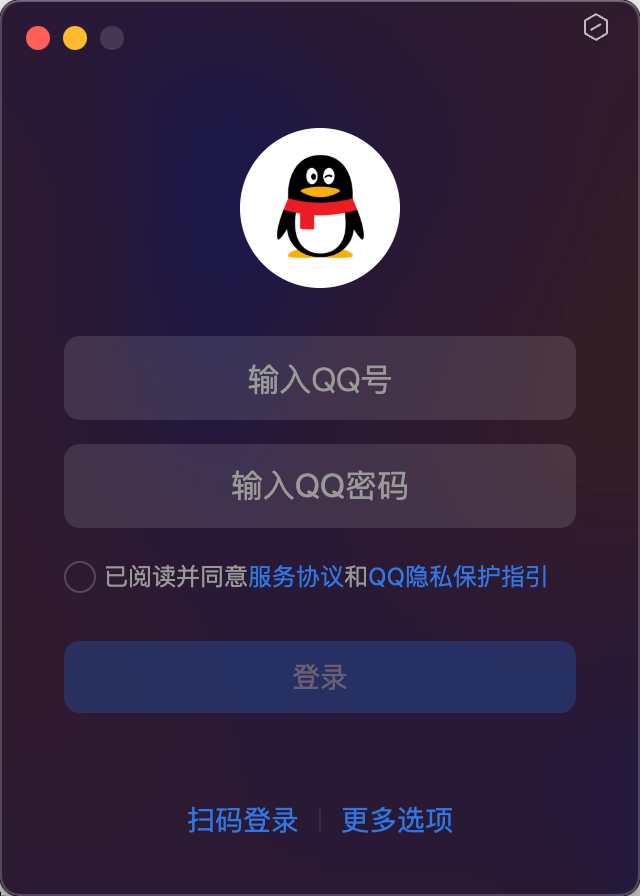
1.脚本实践:QQ 客户端登录
代码实现:
import time
import pyautogui

#cmd+space 打开聚焦搜索qq ,回车进入(键盘操作)
pyautogui.press('shift')
pyautogui.hotkey('command','space')
time.sleep(2)
pyautogui.write('qq')
time.sleep(2)
pyautogui.press('enter')

# qq 界面点击 账密登录,进入qq账号密码输入(图像识别)
x,y = pyautogui.locateCenterOnScreen('./qq.png',confidence=0.95,minSearchTime=5)
pyautogui.click(x*0.5,y*0.5)

# 输入 qq 号(键盘操作)
x2,y2 = pyautogui.locateCenterOnScreen('./enter_qqnumber.png',confidence=0.95)
pyautogui.click(x2*0.5,y2*0.5)
pyautogui.write('1437329877',interval=0.5)
time.sleep(2)
# 输入密码(键盘操作)
x3,y3 = pyautogui.locateCenterOnScreen('./enter_qqpw.png',confidence=0.95)
pyautogui.click(x3*0.5,y3*0.5)
pyautogui.write('luojie516645')
time.sleep(2)

#点击同意条款
x4,y4 = pyautogui.locateCenterOnScreen('./login2.png',confidence=0.8)
pyautogui.click(x4*0.5,y4*0.5)
time.sleep(2)
# 点击登录(鼠标点击+图像识别)
x5,y5 = pyautogui.locateCenterOnScreen('./login3.png',confidence=0.95)
pyautogui.click(x5*0.5,y5*0.5)
time.sleep(2)